Creating the prod_order_details Model
Follow-along video
The intent of this model is to provide a more detailed view of orders. Let's see how we want this to finally look like:
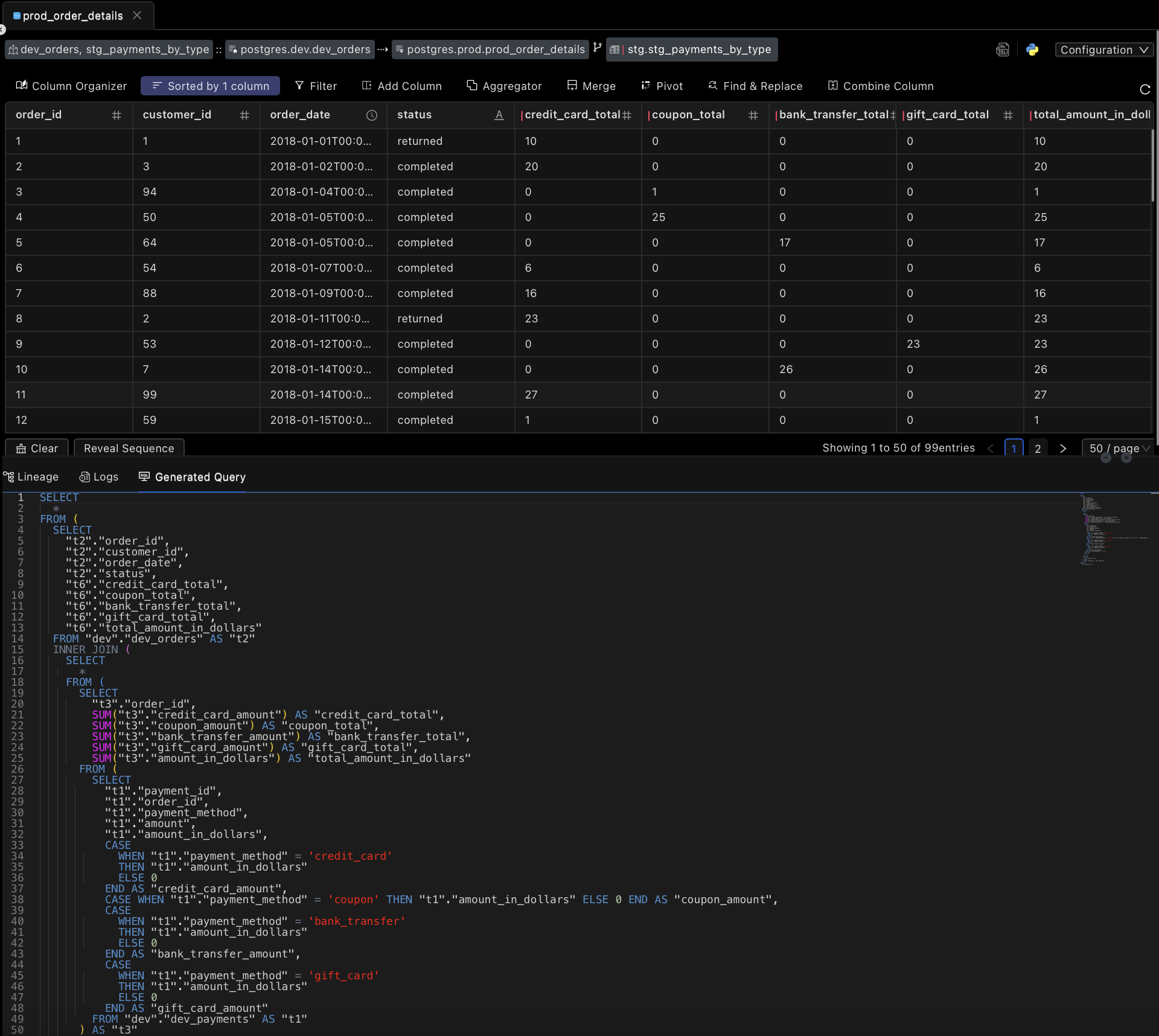
As you can see, for each order ID, we have the customer ID, order date, order status, amounts in each payment method, and the total amount in dollars.
Specifying model dependencies
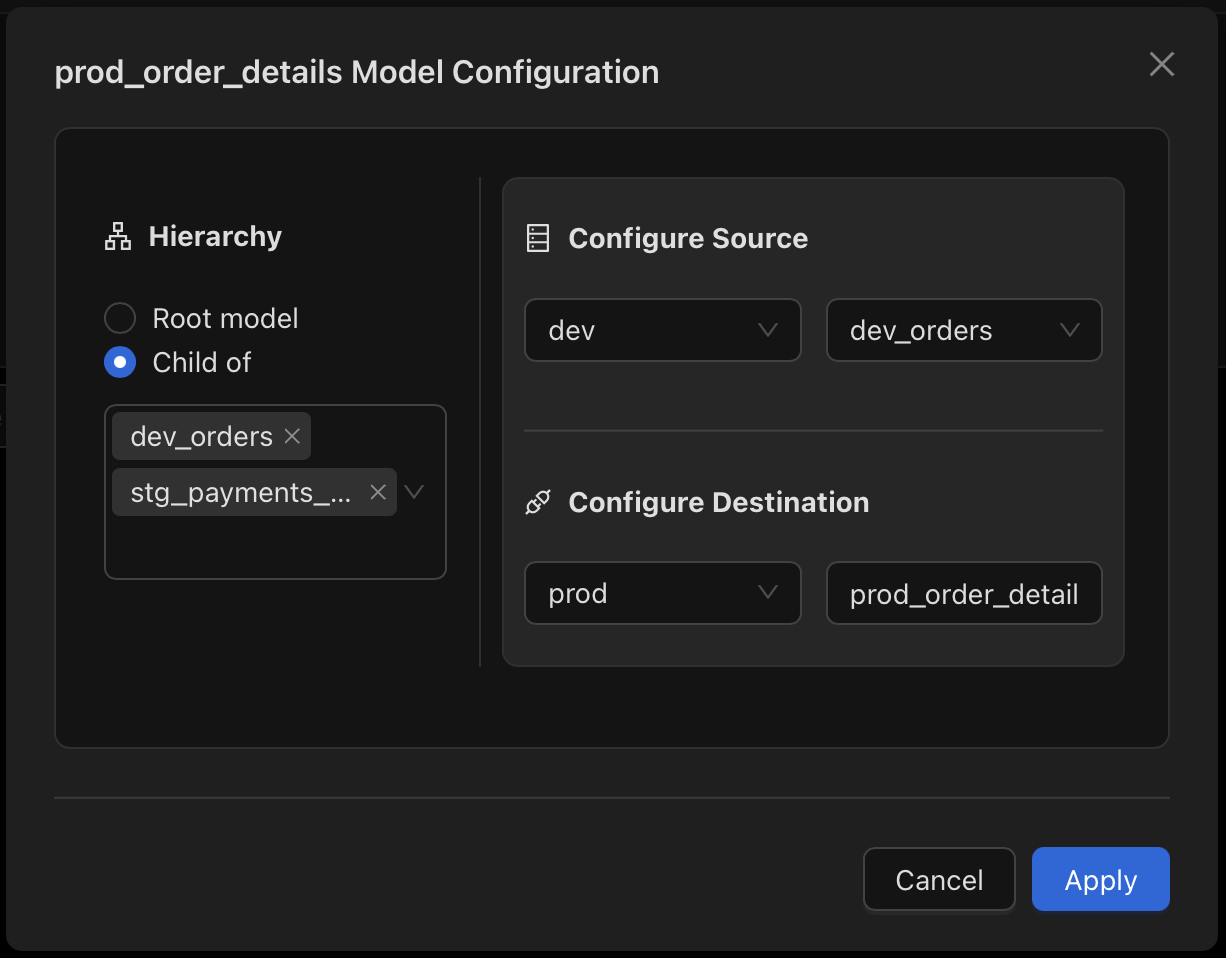
This model is a dependent of the dev_orders and the stg_payments_by_type models. To create a new model, we'll right-click on the no-code folder in the left sidebar and select New Model. For Heirarchy, we'll select Child Of, rather than Root model and specify this mode's dependencies: dev_orders and stg_payments_by_type.
Setting up the model
Let's set up the following to create the new model:
- Source Schema:
dev - Source Table:
dev_orders - Destination Schema:
prod - Destination Table:
prod_order_details
Clicking on Apply will create the model. We're now ready to specify the transformations.
Setting up the joins
We'll be joining the dev_orders model with the stg_payments_by_type model on the order_id column. Let's see how to do that.
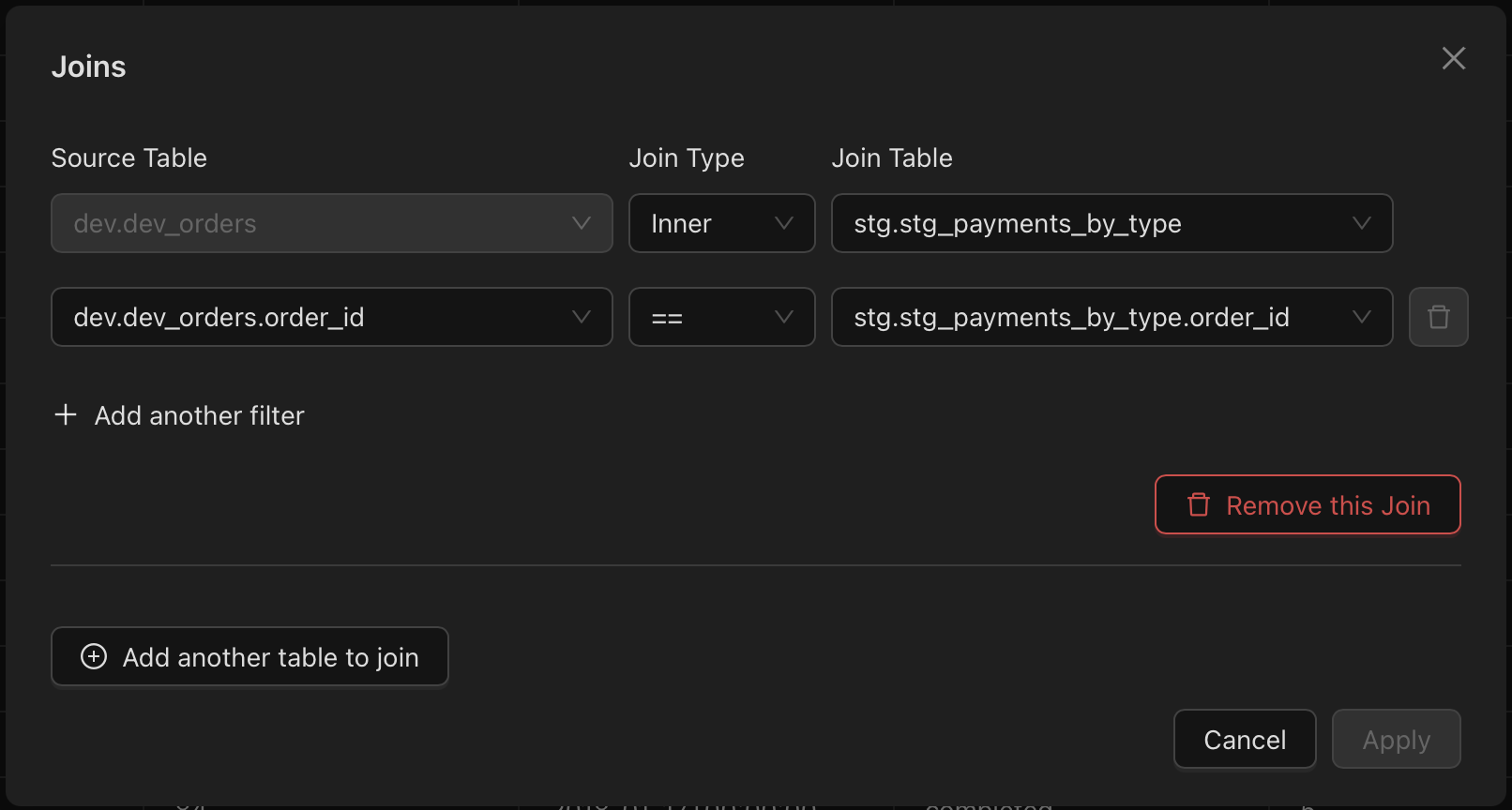
Clicking on Apply will create the joins and you can now see the joined data in the data grid.
Setting up the transformations
There is only one transformation we need to do for this model, which is adding a sort by order_id.
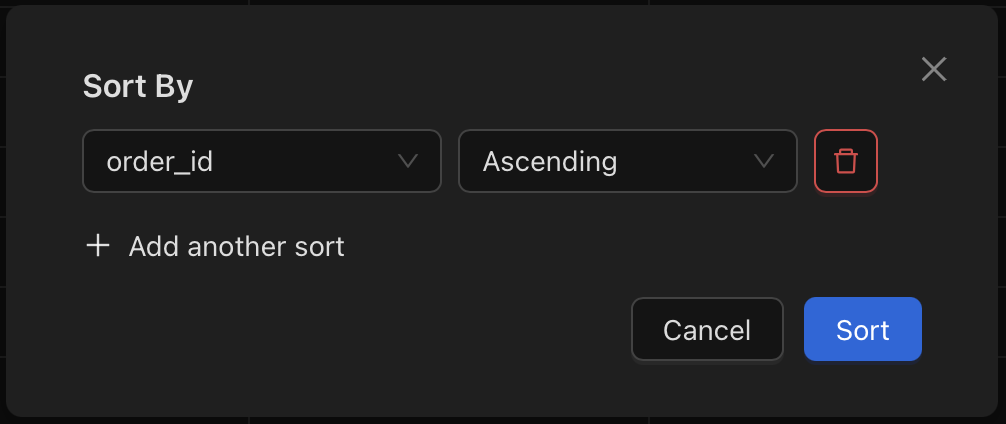
Clicking on Sort will create the sort and you should now see the sorted data in the data grid.
The final model
Let's look at the final model (same as we saw in the beginning).
Awesome! We only have one more model to create!